

OffiGo Reframes Adjustable Desk Selection Around Storage-First Remote Work
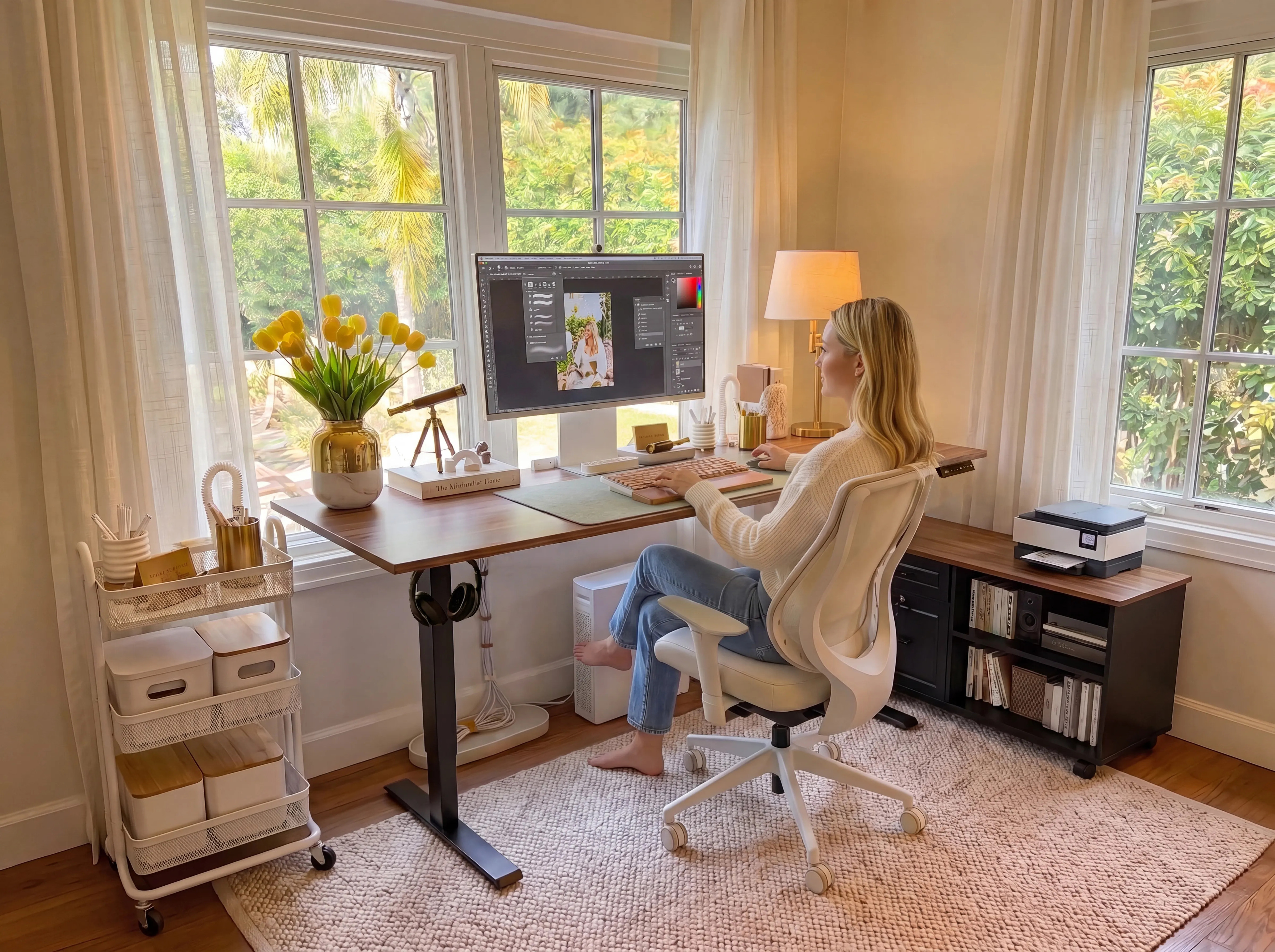
A bright home office setup featuring an OffiGo standing desk and matching mobile storage cabinet for a more organized, flexible workspace.
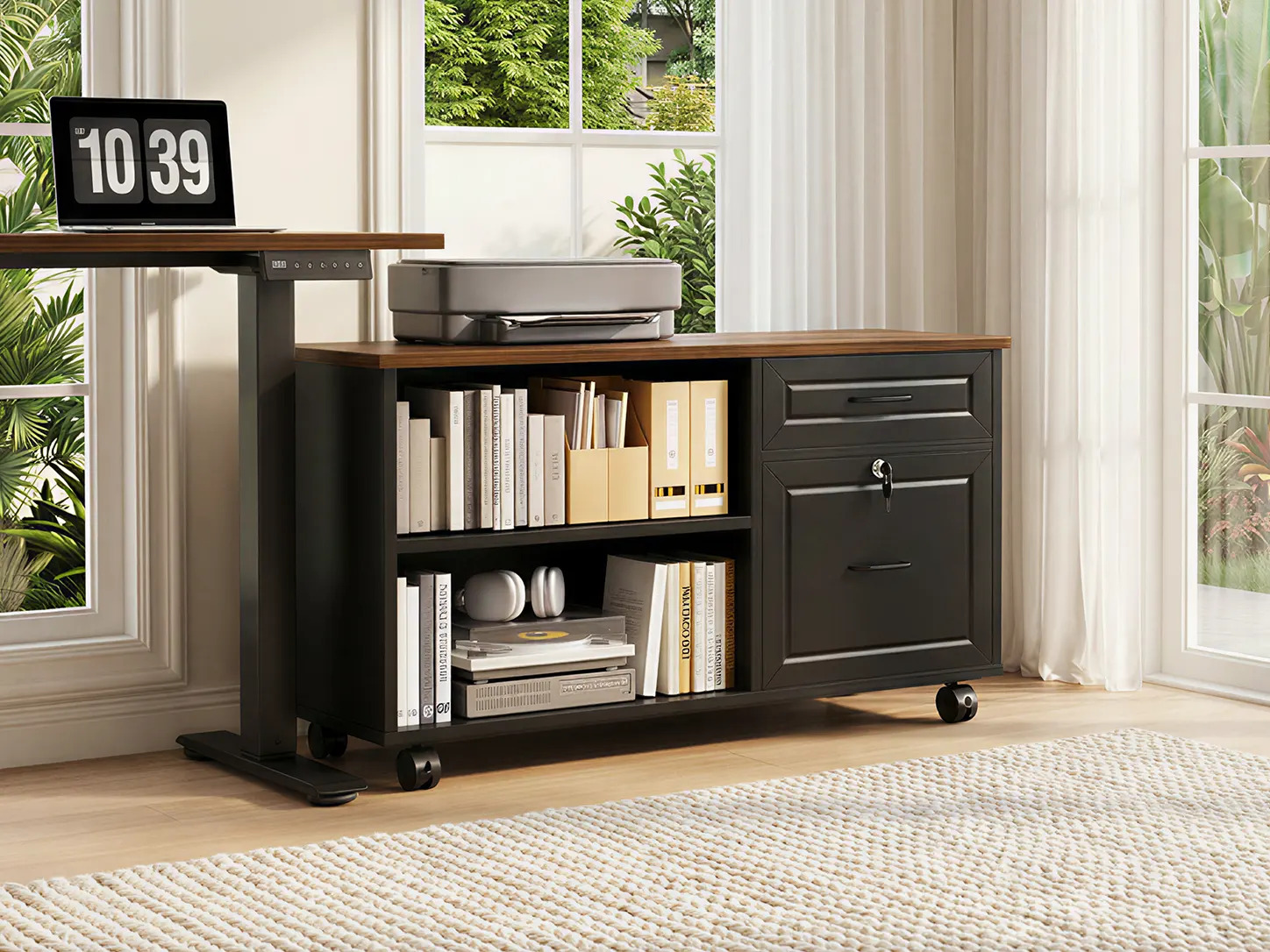
A closer look at the OffiGo mobile file cabinet, combining open shelving, lockable drawers, and a spacious top surface for office equipment.
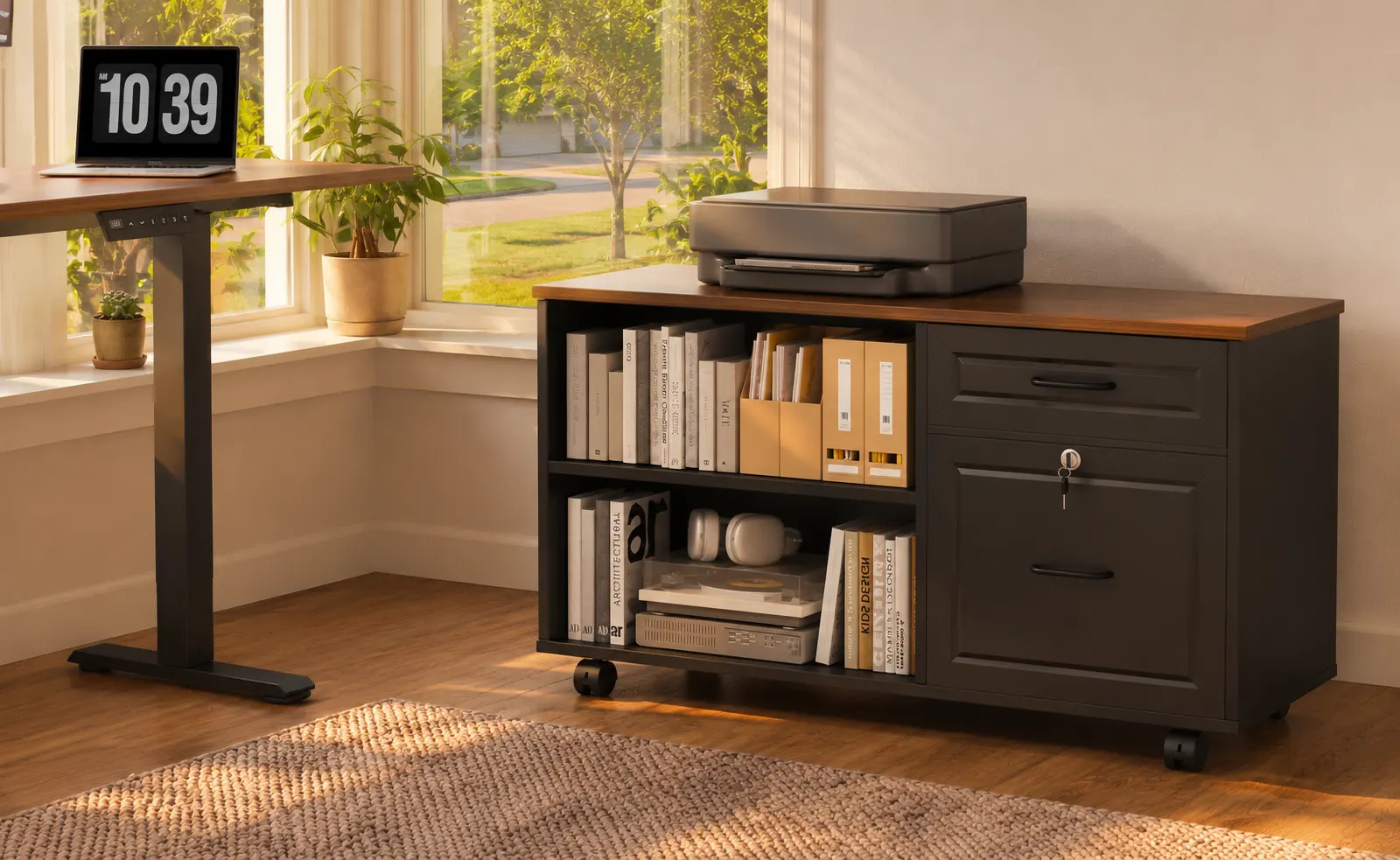
The rolling file cabinet keeps books, documents, office supplies, and a printer organized within easy reach of the standing desk.
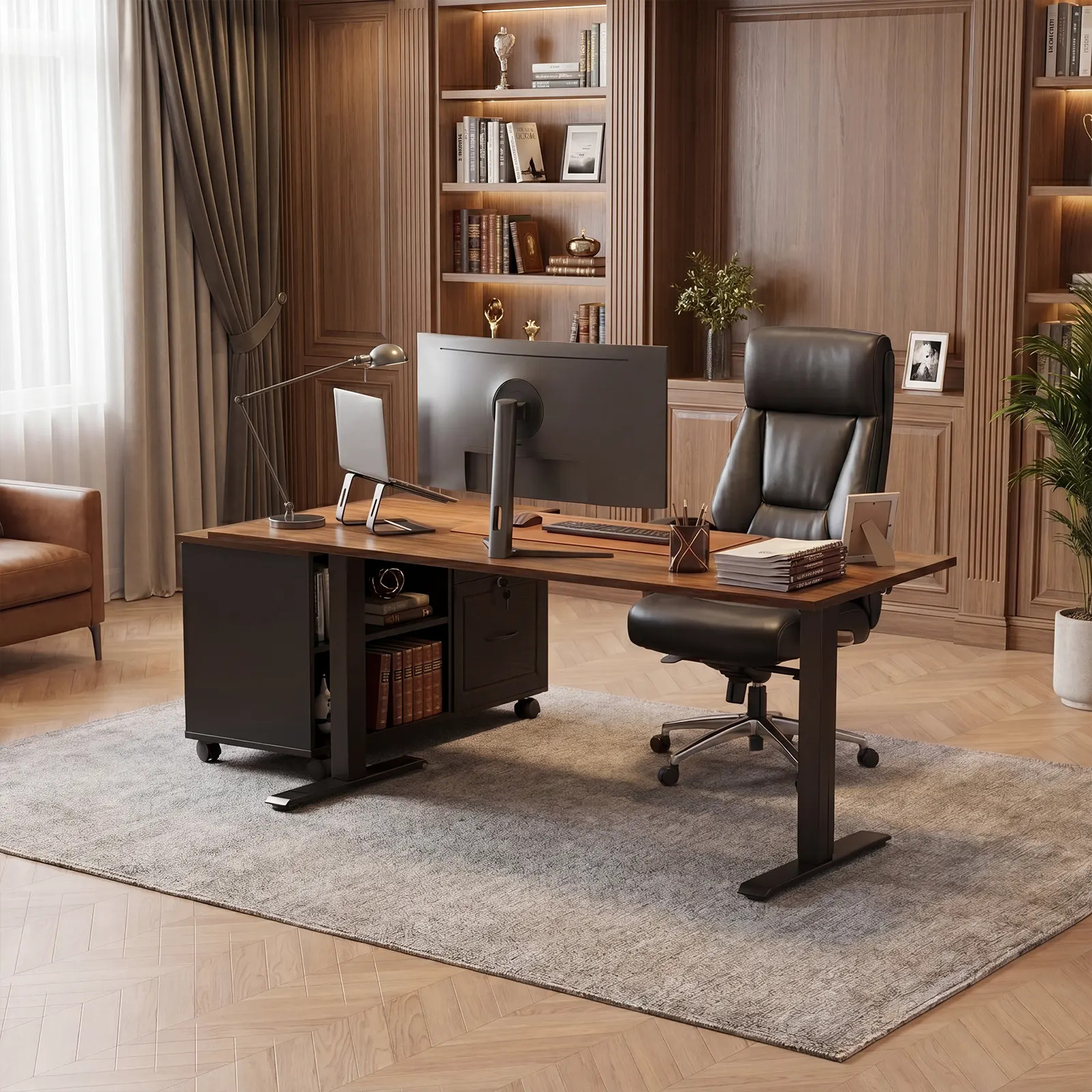
OffiGo 55-inch L-shaped standing desk with movable file cabinet, shown as an organized workstation for documents, devices, and daily office storage.
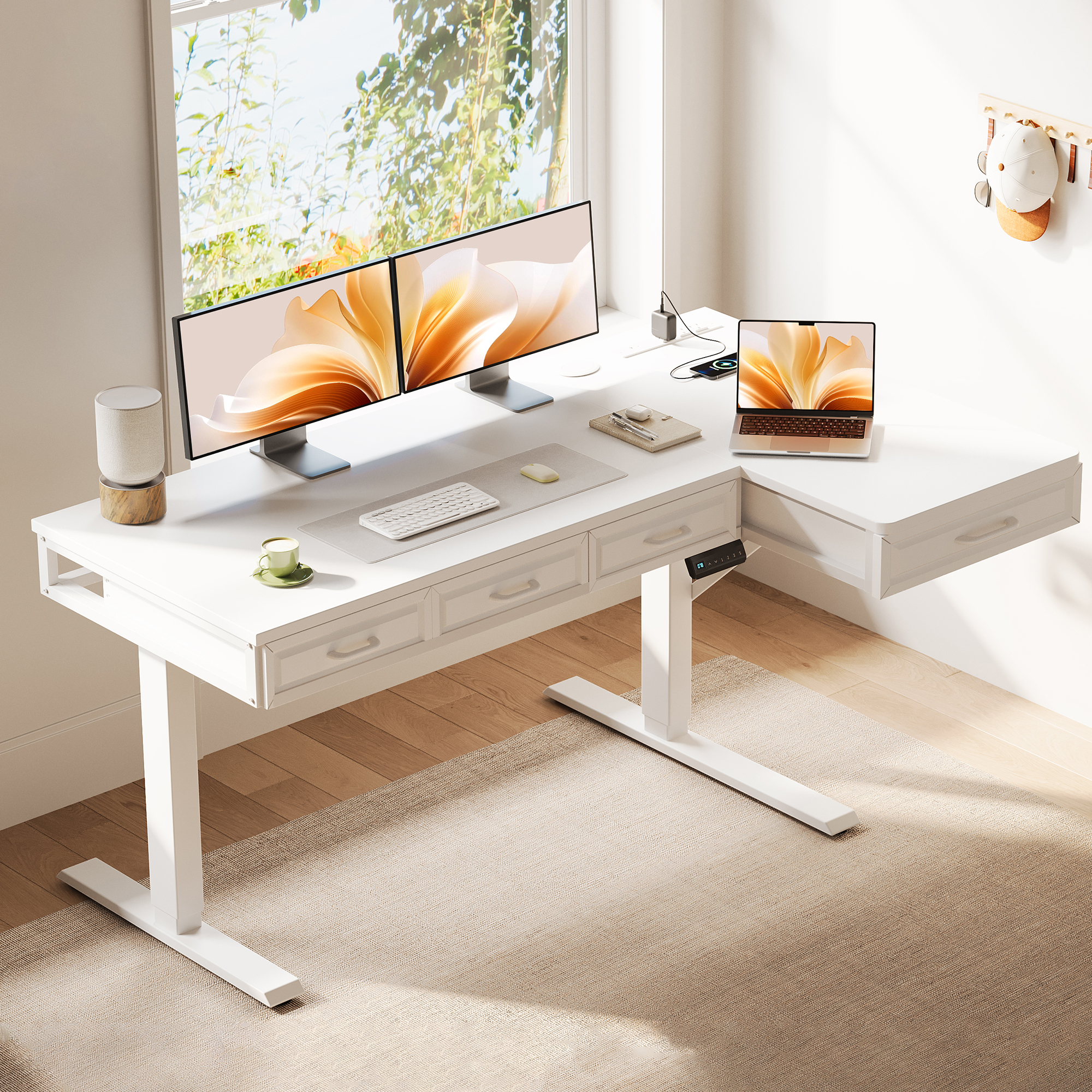
OffiGo 55 inch L-Shaped Electric Standing Desk with Wooden Drawers and Power Outlets
New buyer-guide findings show why remote workers should compare layout, file storage, and power planning before choosing an adjustable desk.
AZUSA, CA, UNITED STATES, July 21, 2026 /EINPresswire.com/ -- Remote workers do not choose an adjustable desk in a vacuum. They choose it after a laptop grows into two screens, a printer moves into the home office, chargers accumulate, and paper files begin competing with the keyboard for usable space. At that point, a comparison based only on lift range, price, or a brand name leaves out the details that decide whether the workstation is workable every day.
OffiGo’s new remote-worker adjustable desk brand guide argues that the first question should be: what must stay within reach when the desk moves? For a minimal laptop setup, that may be a monitor, keyboard, and a small cable plan. For administrative work, client-facing home offices, or hybrid roles that still use printed records, the answer can include folders, a printer, supplies, and a place to separate active work from storage. The result is a more useful way to compare adjustable desk brands: start with the workflow, then test the desk shape, storage plan, seated clearance, and power needs against it.
The full remote-worker adjustable desk brand guide organizes that decision around seven widely compared brands and the different types of setups they support. It does not treat every electric desk as interchangeable. A highly modular straight desk may suit buyers who want to assemble their own accessory system over time. A design-led desk may suit a visually prominent room. An integrated layout can be a clearer fit when the buyer needs a workstation to carry storage and task zones from the first day.
Guide Findings: Brand Names Are a Starting Point, Not the Decision
Brand research is useful because it surfaces different approaches to adjustable work. UPLIFT Desk is commonly associated with deep configuration and accessory ecosystems. FlexiSpot gives buyers a broad mainstream frame comparison. Ergonofis tends to appeal to finish- and design-conscious buyers, while Branch emphasizes a straightforward commercial-style purchase path. iMovR often enters the conversation when fit and ergonomic planning lead the comparison. Newer names can widen the value shortlist.
Those distinctions matter, but a remote worker still has to convert brand-level information into a room-level decision. A desk that is strong on frame customization can require separate drawers, a file cabinet, monitor support, cable routing, and a power solution. That can be the right route for someone who wants each component independently chosen. It can be a poor route for someone whose main pain point is that files, printer supplies, and daily equipment already have no home.
The original 7 adjustable desk brands remote workers compare guide recommends separating three buyer paths before shopping: build-your-own, design-first, and storage-first. The build-your-own path prioritizes an open platform and future accessories. The design-first path prioritizes finish and visual fit. The storage-first path begins with the items that otherwise remain on the desktop, under the desk, or on a nearby rolling cart.
A Better Evaluation Order for Remote Work
1. Map active work before measuring the room.
List the items that must remain at arm’s reach during a normal week: screens, keyboard, notebook, files, printer, chargers, and reference materials. This prevents a common mistake: measuring only the desk footprint and forgetting the working surface, cabinet top, and chair path that the setup actually needs.
2. Decide whether the workstation needs one zone or two.
Straight desks work well when the job is mostly screen-based and the room is narrow. An L-shaped layout becomes more useful when one side needs to remain a primary computer area while the other carries documents, a printer, or a task-specific surface. The label alone is not enough; buyers should confirm whether the side return can be placed on the needed side and whether it steals seated knee space.
3. Treat storage as a system, not a drawer count.
Small drawers can organize cables and stationery, but they are not automatically a substitute for file storage. Paper-heavy users should check drawer dimensions, hanging-file compatibility, locks where privacy matters, cabinet-top capacity, and whether the storage piece can move with a changing room layout. Storage located outside the central sitting area also avoids converting legroom into another compromise.
4. Confirm the full movement envelope.
The height range needs to work with the buyer’s seated and standing positions after monitors, keyboard, and other equipment are in place. Cables need enough slack for the full travel of the desk. Memory settings are helpful only after the workstation is configured, because a preset saved before the monitor or keyboard is positioned can preserve an awkward setup rather than improve it.
5. Choose between integrated power and external routing intentionally.
A desk with built-in outlets can simplify daily charging for a laptop, phone, desk lamp, or other small devices. A desk without built-in power can still be the right choice, but buyers should decide where a surge protector, charging hub, and cable route will sit before placing the cabinet. This is especially important for a printer-and-files setup, where a cabinet may move from one side of the desk to the other.
Storage-First Does Not Mean Feature-Heavy
The guide’s central comparison point is that “integrated” should describe a coherent work system, not a longer feature list. Some buyers want built-in charging, a keyboard tray, or a monitor shelf. Others need a clean primary worktop and substantial storage that can move independently. These are different problems and should not be blurred together.
For the latter group, OffiGo highlights the 55-inch L-shaped standing desk with movable file cabinet. It pairs a 55.1 by 23.6 inch electrically adjustable main desktop with a 39.4 by 15.8 by 18.7 inch rolling cabinet. The cabinet can sit left, right, or inline, so the user can create a side return for a printer and documents or retain a long, shallow arrangement along a wall. The cabinet includes upper storage, a lockable lower file drawer, and open cubbies; its hanging rails support Letter and A4 files rather than Legal-size hanging files.
That configuration is not presented as a universal solution. It is a clear fit for remote workers who need a real file cabinet near the desk and want it to remain outside the central knee area. It is less appropriate for buyers expecting built-in outlets, a supplied charging module, or monitor-arm compatibility. The product has no integrated power, so power and cable routing need to be planned externally. Its 0.6-inch desktop is not recommended for monitor arms. These limits are useful comparison facts because they help buyers avoid buying a storage-first desk for a different use case.
The second storage path is for a more digital, charger-heavy corner setup. The 55-inch L-shaped desk with drawers and power uses four built-in wooden drawers rather than an independent cabinet. Its assembled work surface is 55.1 by 31.5 inches; the desk adjusts from 29.9 to 46.1 inches and provides 34.8 inches of leg clearance. The reversible side can be installed on the left or right, and the built-in charging panel includes three AC outlets, one USB port, and one Type-C port. The drawers measure 12.6 by 11.8 by 4.6 inches inside, so they are a natural place for cables, notebooks, chargers, and smaller daily supplies—not a substitute for a large hanging-file cabinet.
This drawers-and-power layout should be compared against the file-cabinet model by the type of clutter it removes. Choose the file cabinet when papers, printer supplies, and filing access drive the purchase. Choose the four-drawer model when a reversible L-shaped desk, frequent device charging, and keeping small accessories out of the screen-and-keyboard zone are the higher priorities. Like the file-cabinet model, it is not a monitor-arm platform; do not select it for a monitor-arm-first setup.
Buyer Scenarios That Clarify the Shortlist
Documents, printer, and changing room layout.
This buyer should favor storage capacity, cabinet mobility, lockable file storage, and flexible left/right placement. They should check where the printer sits when the desk rises, how far cables must travel, and whether the chair path remains clear.
Dual screens with mostly digital work.
This buyer should compare usable surface depth, monitor placement, cable routing, and load capacity. If storage is limited to notebooks, chargers, and small accessories, four built-in drawers and integrated power can be more direct than a separate cabinet. If a printer and paper records are routine, keeping them off the main desktop can make the screen zone easier to maintain.
A narrow wall instead of a corner.
An L-shaped label can be misleading here. A movable cabinet that can sit inline may be more useful than a fixed side return, because it allows a long, shallow arrangement and can move later if the room changes.
A clean visual office with limited clutter.
This buyer may prefer a simpler desk and independently selected accessories. The tradeoff is that every storage or cable-management need becomes another item to source, place, and coordinate.
Practical Setup Rules Before Purchase
Measure the desk footprint, cabinet footprint, chair travel, and a walking path as one plan. Check the seated knee area with the cabinet positioned where it will actually sit. Place the heaviest, least mobile equipment—often a printer—on the cabinet only after confirming cable length and clearance through the desk’s full height range. Save the three height presets only after the keyboard, monitor stands, and chair are in their final positions. For file storage, verify paper format rather than assuming all hanging files fit. For a drawers-and-power setup, confirm that the available AC, USB, and Type-C ports match the equipment you keep at the desk.
The 55-inch L-shaped standing desk with movable file cabinet is one example of why the guide changes the comparison frame. Its core value is not simply that it moves up and down. It gives a paperwork-heavy remote worker a main desk, an adjustable sit-stand range of 28.4 to 47.2 inches, and a movable storage component that can be set on the side or in line. For the right workflow, that reduces the need to force files, a printer, and office tools onto the primary work surface.
The Bottom Line
Remote workers should use brand comparisons to identify approaches, then use their actual equipment and room constraints to narrow the choice. A good adjustable desk is one that leaves enough space for the way work is performed—not just the way the desk looks in a product image. Start with the storage load, room geometry, seated clearance, and cable plan. Then decide whether an open platform, a design-led desk, or a storage-first workstation is the more durable purchase.
For buyers who need documents, printer supplies, and office tools close to the desk, the relevant comparison is not just which frame lifts. It is whether the whole layout can hold those items without crowding the monitor, keyboard, or knees. That is the practical question behind the guide’s storage-first recommendation.
OffiGo Workspace Team
OffiGo – Professional Workspace Solutions
Creator@offigo.com
Visit us on social media:
Instagram
YouTube
X
Legal Disclaimer:
EIN Presswire provides this news content "as is" without warranty of any kind. We do not accept any responsibility or liability for the accuracy, content, images, videos, licenses, completeness, legality, or reliability of the information contained in this article. If you have any complaints or copyright issues related to this article, kindly contact the author above.
